
SaaS
Complex User Flow
Usability Testing
Key Outcomes:
Removed multiple critical error states caused by poor data
Rearchitected the flow to work around bad phone number data, eliminating failure paths that would have affected every first-time user.
Understanding the Problem Space
When the healthcare portal MVP initially launched, the only login option was for users to receive a one time passcode (OTP) sent to their email address. This required users (of whom 80% were mobile) to swap back and fourth between tabs and apps on their phone to login, creating friction, incorrect passcodes and at times a frustrating experience.
With a stable MVP of the portal, one of our first priorities was to improve this login experience by offering SMS text passcodes as an alternative, which can easily be copied and entered in. On the surface, this was a straightforward task - but our backend data required a creative solution.
Discovery
Beginning the discovery process, I was handed a flow by the VP of Technology and Principal Architect showing how users can login successfully and securely. This flow navigated our tricky backend successfully, but raised a red flags for users.
UX Risks & Data Issues

The login screen requested users to enter a phone number (not an email address). However users would receive an email after they enter in their phone number. This is an unexpected flow that would likely confuse users.
Many users did not have a phone number properly set-up to their account, so entering a phone number would lead to not finding an account.
Moreover, some email addresses were not always properly aligned with phone numbers, meaning a user could enter their phone number in successfully, but we would send an email for further verification to an incorrect email address.
Finally, users would need to verify themselves via email to set-up SMS text, which felt redundant.
Opportunity to Improve Data Validity
Phone numbers in the backend were often inaccurate, outdated, or inconsistently formatted, creating issues for care, support, and sales. This flow provides an opportunity for users to review and update their phone number.
Usability Testing
I built a prototype of the proposed flow and ran five moderated usability tests to validate our UX concerns and align the team on whether a redesign was necessary. I proposed the testing — knowing we needed evidence, not just instinct, to justify pushing back on the proposed flow
What We Saw
• All users confirmed the flow felt redundant
• All 5 felt that receiving an email during "SMS login" created mismatched expectations
• 3/5 Users weren’t sure which step verified what
• 4/5 Users said they expected a “simple text code" and the login would be complete
The Result
SUS scores averaged 38 — a failing score — confirming that the proposed flow would create significant friction for every user who encountered it.
A user encountering login struggles.
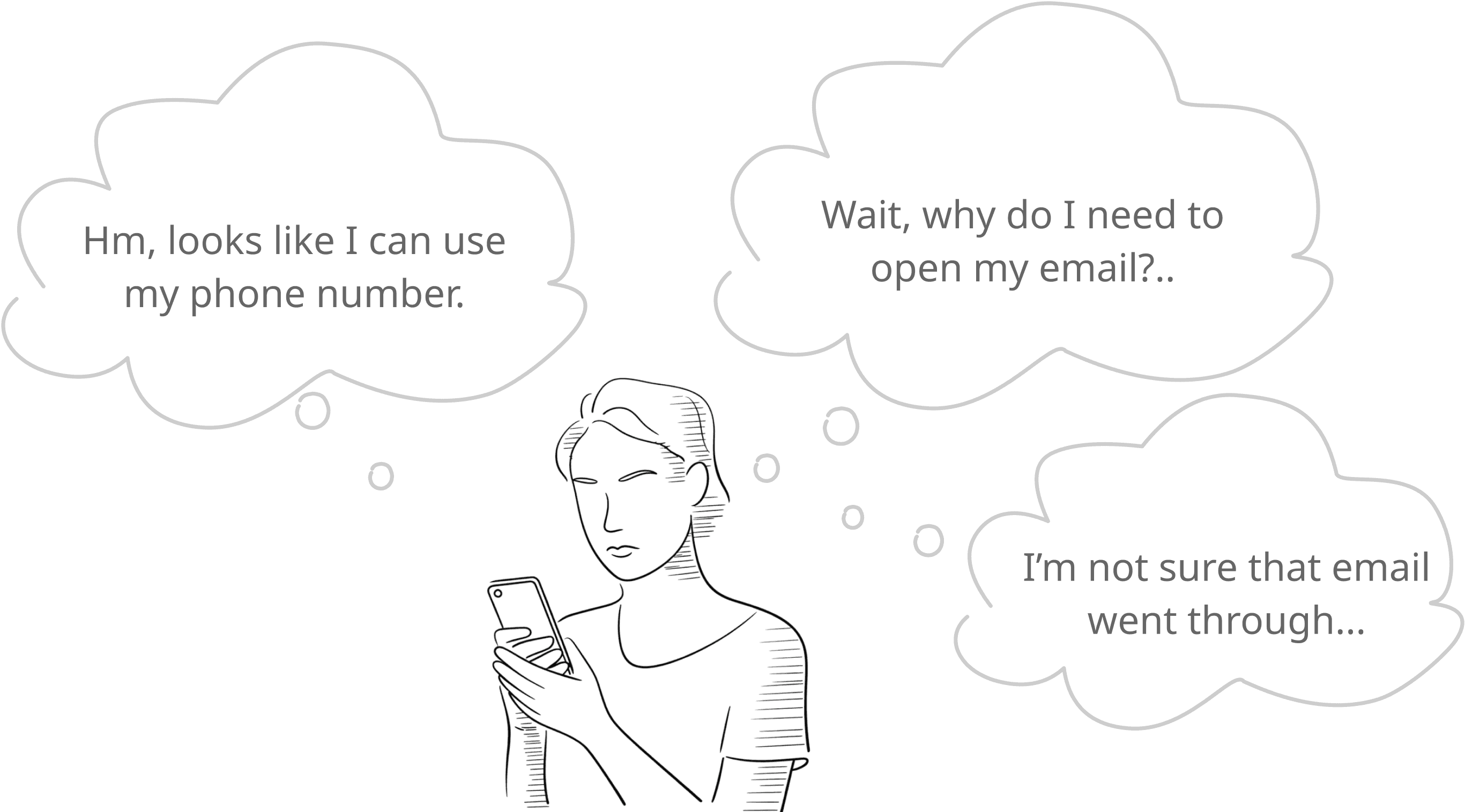
(Illustrated usability test of the login flow)
Core Problems
After presenting the findings to the team, we acknowledged that this flow needed a redesign. To start the redesign process, I gathered all of the core problems and constraints this flow faces.
• Our phone number data is problematic, and email is our only true account identifier. At some level, the user needs to be verified with their email.
• Using a phone number to login on the initial screencreates extra steps - if a user does not have a verified phone number with us, or our phone number or email data is bad, this will create extra steps and sometimes will need customer support intervention.
• Phone number data needed to be cleaned up, which can only be done by users themselves.
Phone numbers had many different formats in our system. Some had international codes, some had parentheses around an area code, and so on.
Redesign Needs
Rethinking the Approach (Going Wide)
I started exploring SMS OTP login flows for other companies, searching for answers. I found some companies that use email address only on their login screen - and follow up with an SMS text message.
This approach got us thinking solved a core problem we were facing:
If we can use an email instead of a phone number on the login screen, this will avoid problematic phone number data and any mismatched emails associated with them
Users can enter their email on the login screen, and their phone number can be corrected after login.
Next time they login, they can receive a text message.
This shift aligned with our system and significantly reduced friction.
Aha Moment #1 - Email First, SMS Second
Instead of validating phone numbers up front—which resulted in an email follow up—we allow users to authenticate with email, log in, and then confirm or update their phone number inside the portal.
Aha Moment #2 - One Progressive Step-by-Step Module
Users have a string of tasks they usually come to the portal to perform. We also need them to clean up their phone number data so our clinical team could contact them. This flow created an opportunity to solve multiple problems at once. Users may have a few simple tasks to complete when they login for the first time - like agreeing to terms, signing documents or taking a questionnaire. Placing these in a sequential flow would avoid multiple overlays hitting the user at once, asking them to complete a task.
This was a request to increase scope, but the value it brought received strong support from leadership and was allowed to be included in the feature.
Design Process
With a successful discovery process and alignment across the team - the new user flow was fairly straight forward. I took our new concept to an extensively reviewed design with sign-off by senior leadership.
The Process:
Create the new user flow, which should be much more straight forward
Early wireframes & gather stakeholder feedback
High fidelity wireframes & review by senior leadership
Polished design specifications
Redesign Overview and Retesting
The New Login Experience
The redesigned flow starts with one simple change — email only on the login screen. No phone number, no mismatched data, no unexpected redirects. From there, the flow adapts based on what we know about the user.
If a user has a verified phone number on file, they receive a text message passcode to complete login. If not, they log in with an email verification code and are prompted to add or update their phone number — cleaning up our data in the process.
Any remaining tasks — agreements, profile setup, questionnaires — are handled through a unified progressive task module, presenting one task at a time rather than hitting users with multiple overlays at once.
Key Improvements
• Eliminates redundant verification steps.
• Removed confusion caused by mismatched phone number data
• Reduced cognitive load with one structured task module
• Created a scalable system for future clinical tasks
Retesting
After the redesign, I ran a second round of five moderated usability tests to validate the new flow. The difference was immediate. Users moved through the flow without hesitation, confusion, or errors — a stark contrast to the original testing sessions.
SUS scores improved from 38 to 85, moving from a failing score to an excellent rating — a 124% improvement across the same participant profile.
(The new login flow for a first time user)

Outcomes
This redesign prevented a higher-friction login experience from launching and replaced it with a much cleaner, predictable flow. This new flow was presented by the technology team to the company president and a board of senior members, who were pleased with the result (and that the phone numbers would be “cleaned” for our clinical & sales teams! 🙂).
Overall Impact
The final design significantly reduced expected user confusion and login friction
This resulted in an anticipated far fewer login-related tickets for customer support
The progressive task module focused and simplified user tasks and will scale with more clinical tasks in the future.
The 10X healthcare portal has hundreds of logins per day and there has been little to no customer support tickets due to login.