SaaS
Complex Data
Stakeholder Alignment

Key Outcomes:
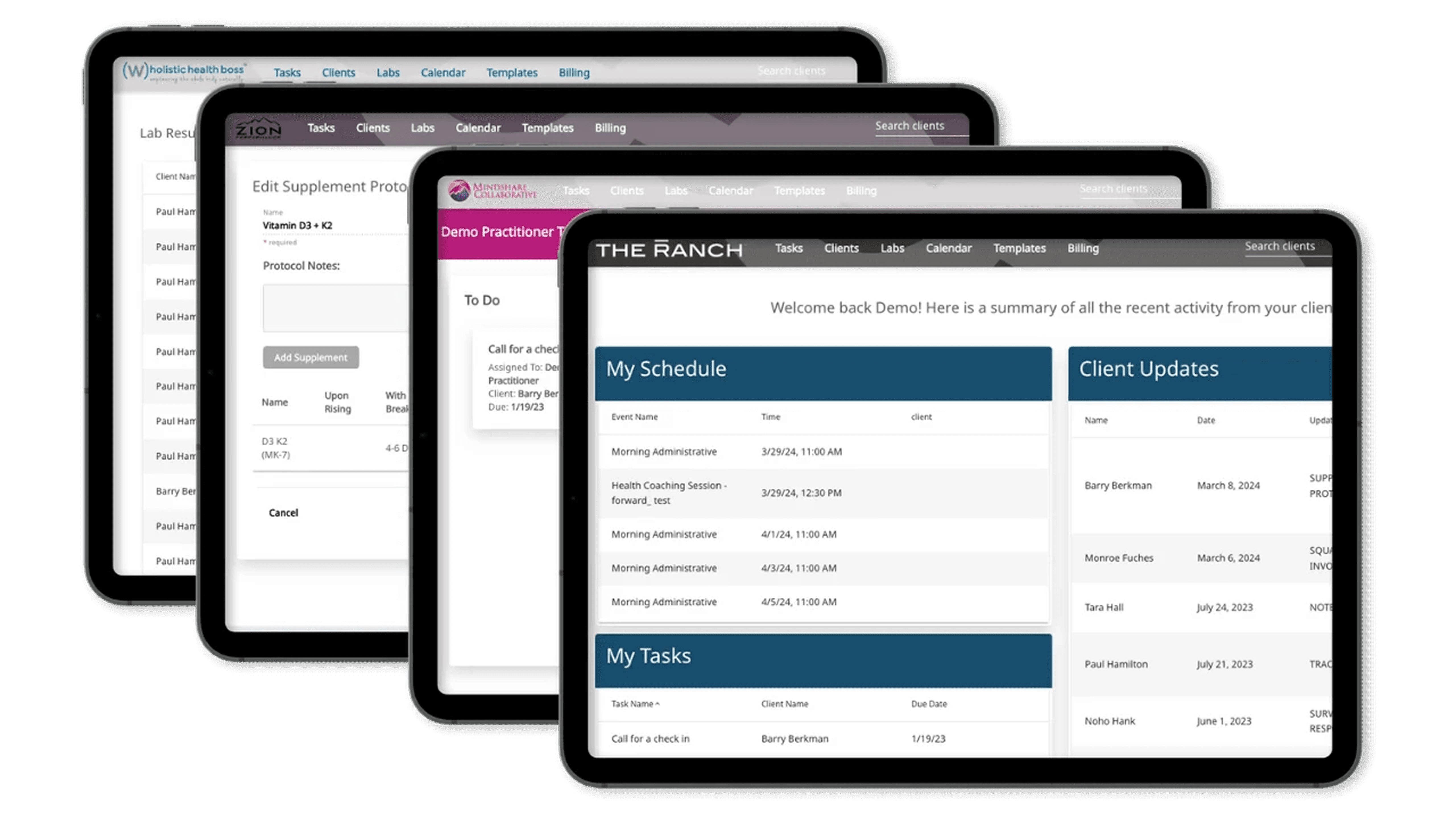
Replacing an Aging White-Label Platform With a Custom Portal
One of our major new features within our custom built portal - the 'Appointments' feature was set to deliver users access to upcoming and historical appointment records, requiring deep integration with our database, an understanding of stakeholder expectations, and designing for all users.
I led the project end-to-end, I began by taking a thorough inventory of all the stakeholders involved and their needs.
Balancing Priorities Required In-depth Interviews Across Teams
Stakeholders Involved
Meeting with a variety of stakeholders, the overarching goal was to significantly improve upon the UX of the white label portal we used before, and safely surface data from out EHR.
Needs & Constraints
Clinical & Patient Needs
Provide a clear view of upcoming and past appointments, with easy access to key details.
Enable download of visit summaries, eliminating the need to request or send them manually.
Ensure accurate, reliable information (address known data inconsistencies).
Make appointment details and related documents easy to find and access.
Design intuitive navigation to appointment information — a primary portal use case.
Optimize for mobile, where the majority of users access the portal.
Breaking Down Complex Data Into Usable Parts
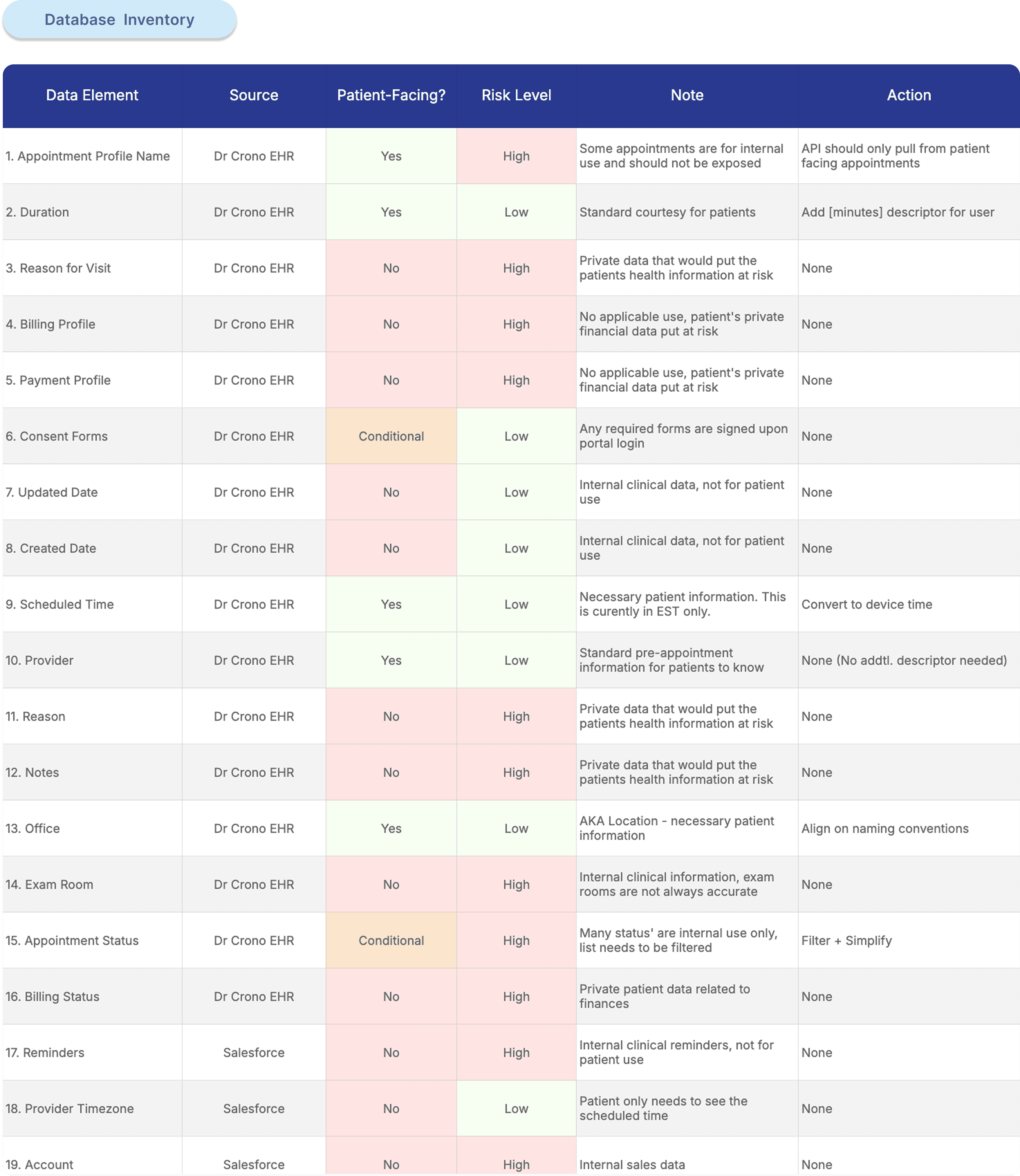
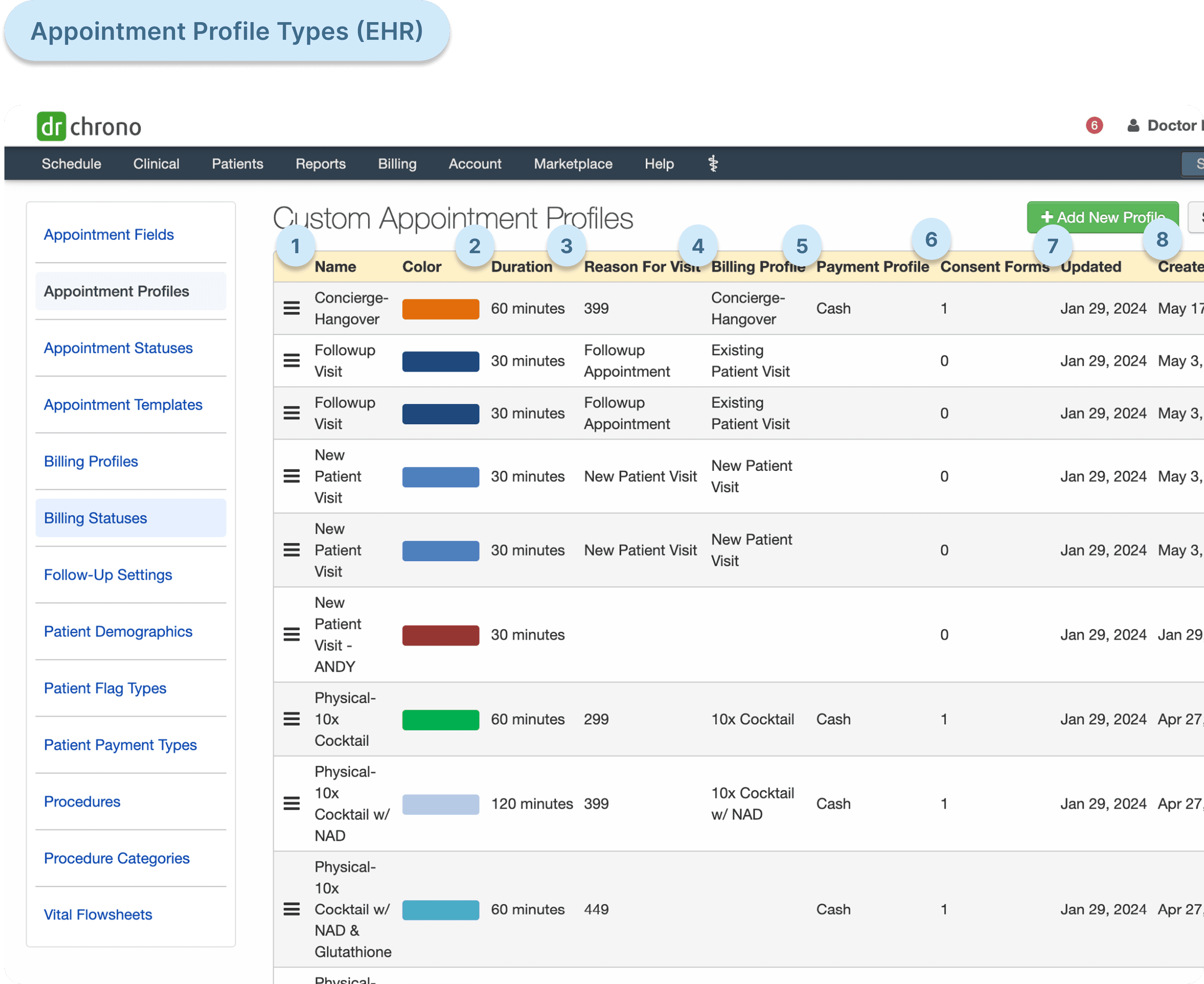
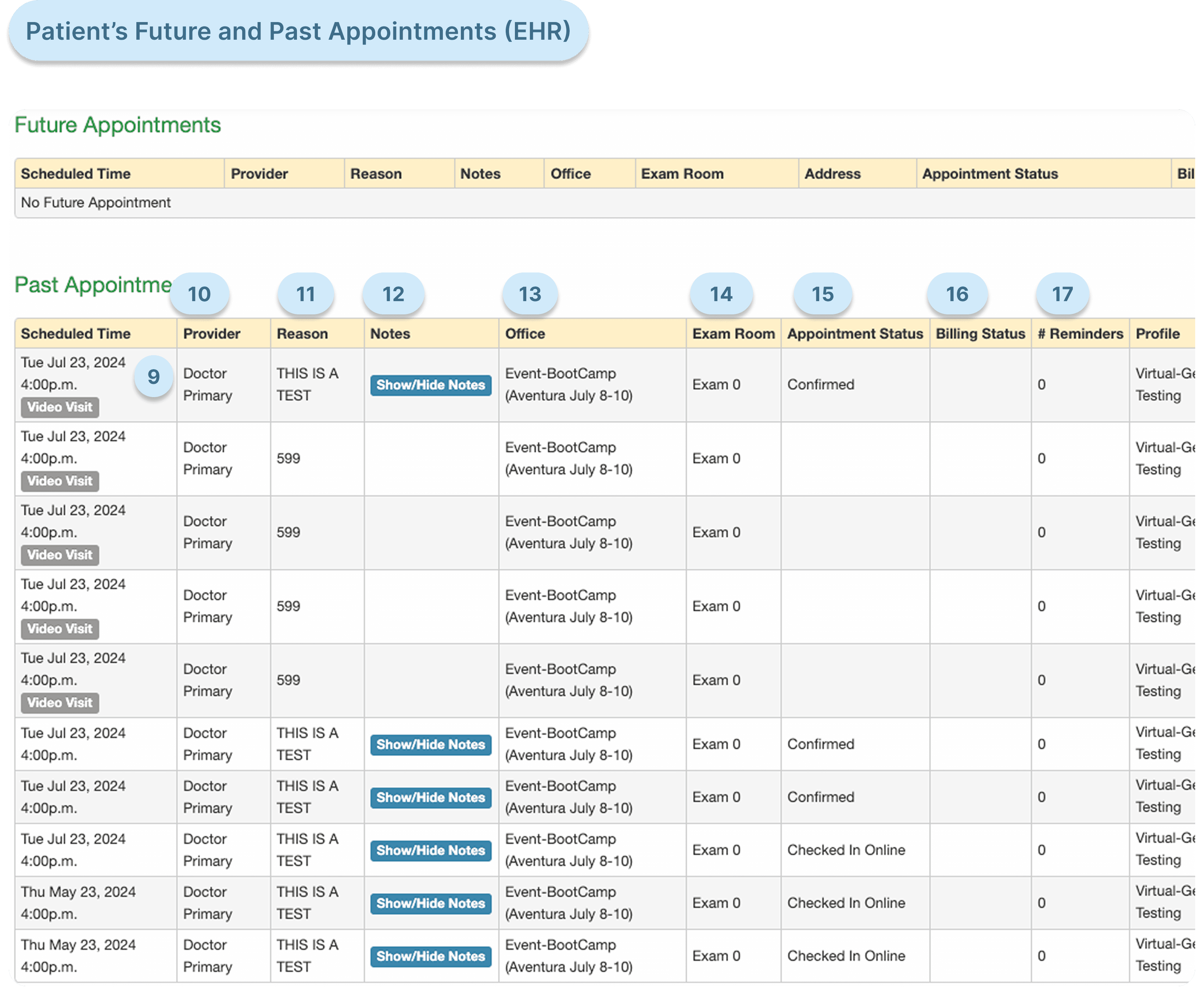
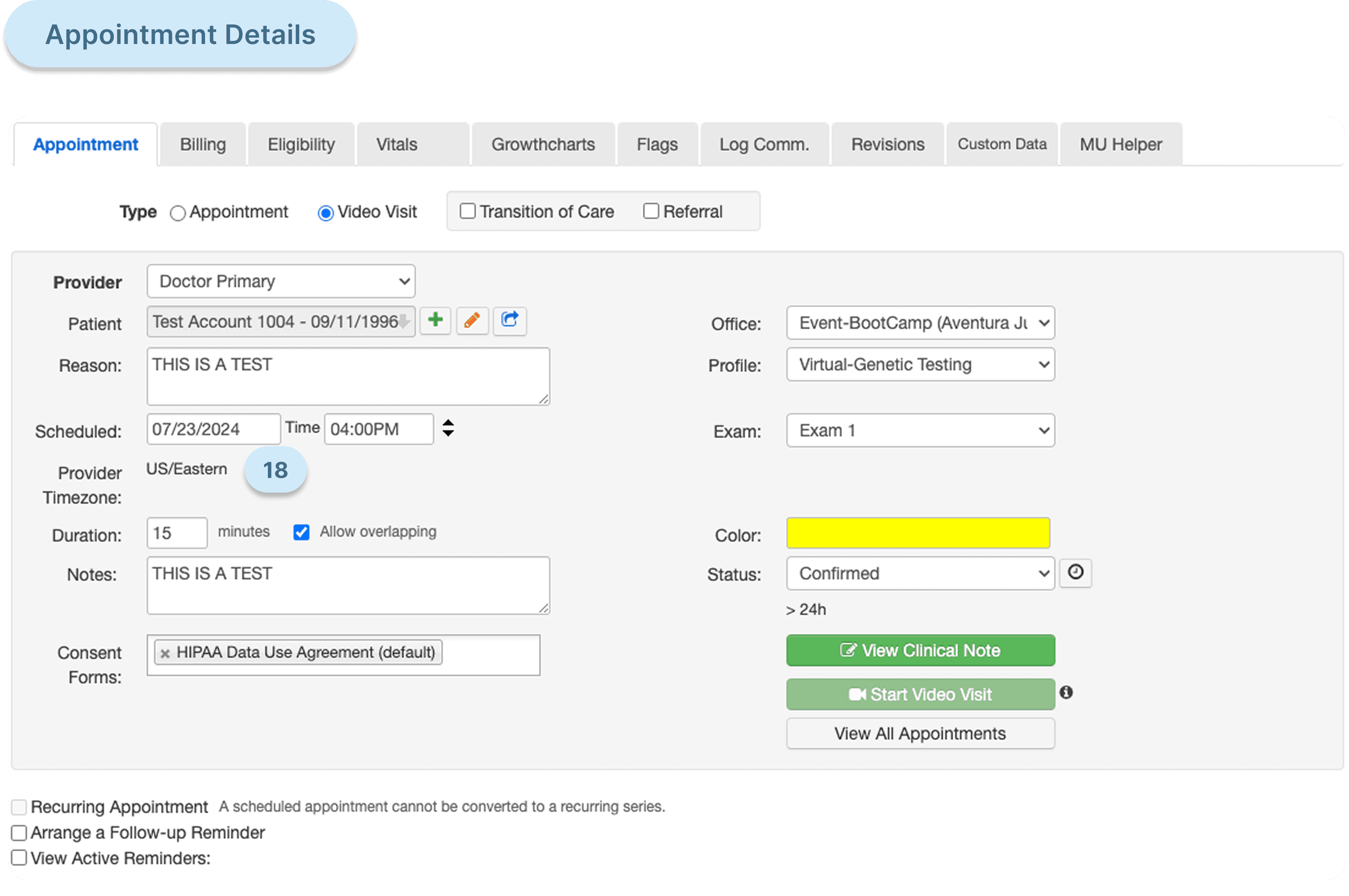
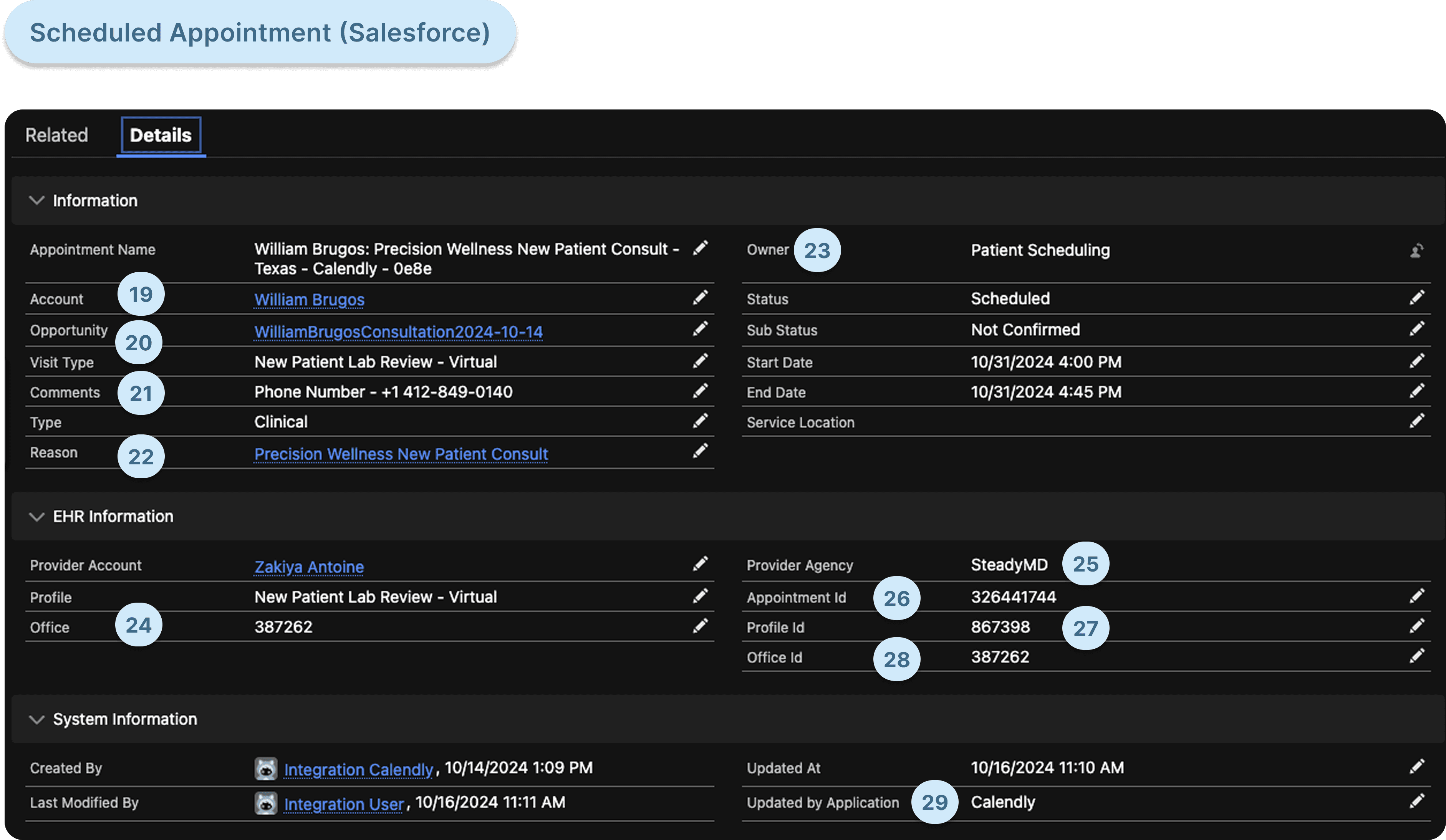
I needed to understand how the appointments model within the database was structured, so I could tailor my design around it. I worked face-to-face with clinicians who worked within their EHR system daily. This gave me important insights on quirks within the EHR, what data was reliable and what was safe to show. I parsed this discovery into a database asset inventory to evaluate with our team.
Uncovering Critical Misalignments Between Technology and Clinical Roadmaps
As discovery progressed, it became clear that the tech and clinical teams had different understandings around the current and future plans for the EHR. This would critically affect my handoff - I needed to have clarity on what data was usable and would continue to be if any changes were made.
I brought together clinical, marketing & the tech team together to clarify direction.
Alignment & Data Issues:
Data Issues
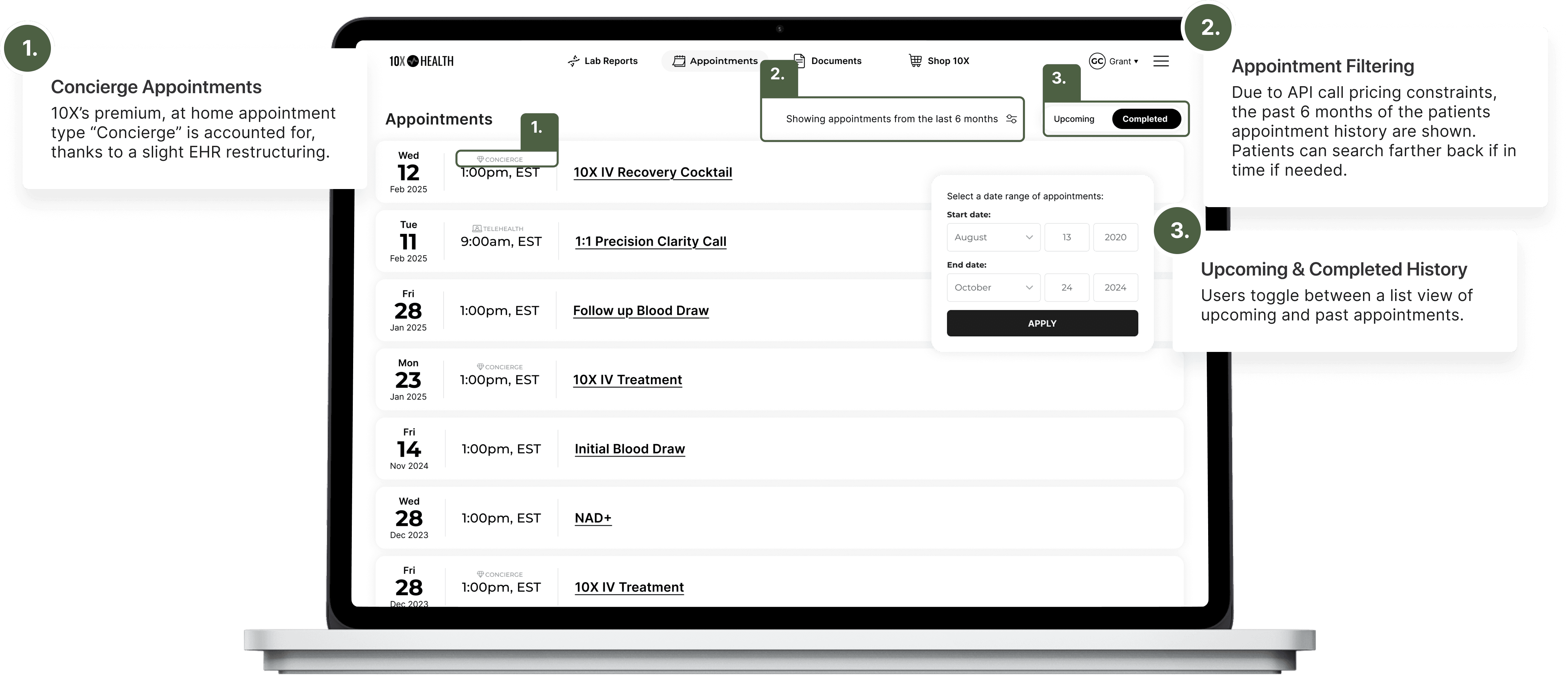
Not all appointment types that 10X offered could be surfaced - meaning showing the type of appointment
The EHR only stores appointment times in Eastern Standard Time
EHR appointments status' are complex and not fit to be shown to patients
Cross-Functional Resolutions:
EHR Will Change to Fit Patient Needs
Luckily for our project, there will be no large restructuring or migration in the near future. Clinical will however tweak appointment types - so that we can show them accurately to patients. In addition, marketing and clinical will align on the names of locations.
Architechting a Secure Central Hub for the Patient Appointment Journey
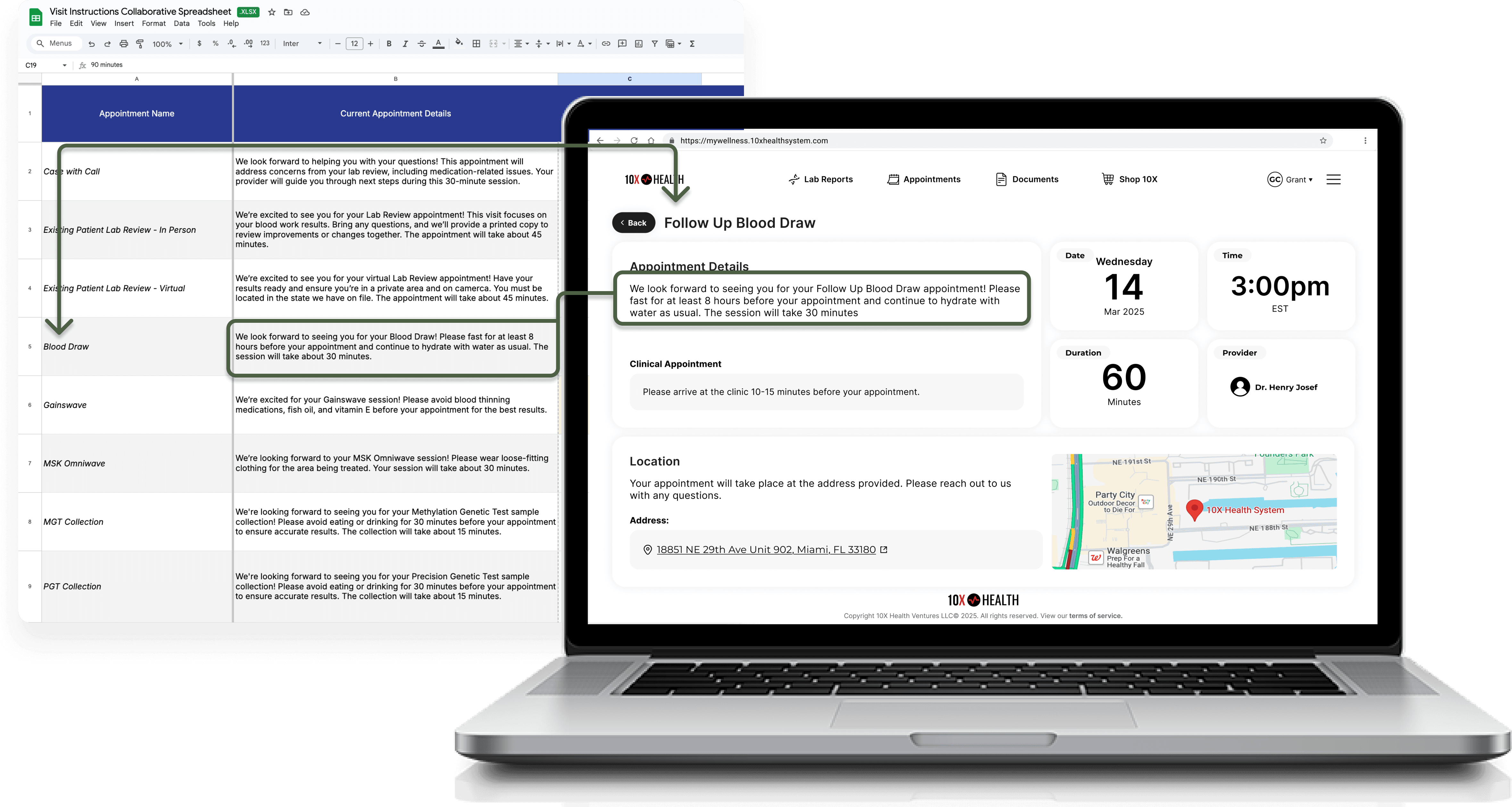
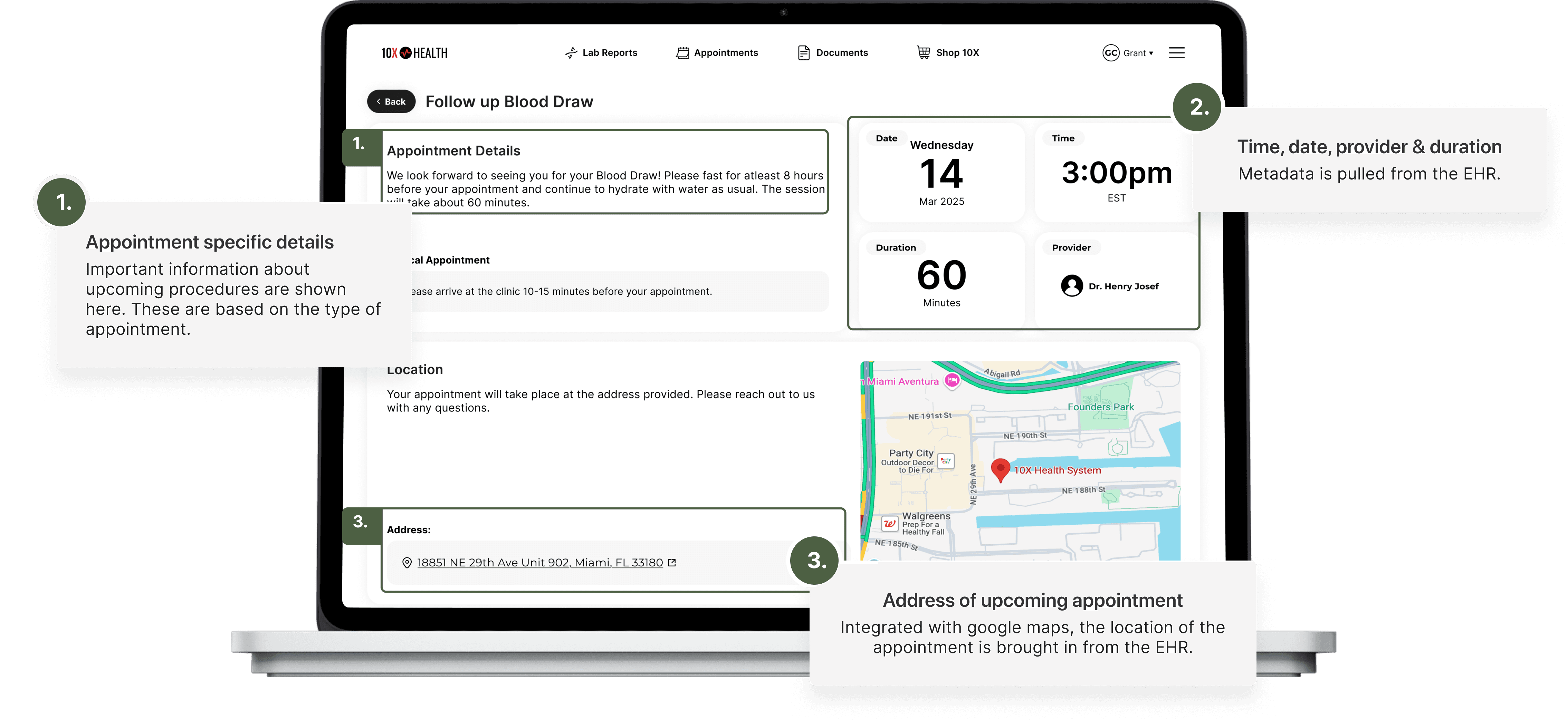
With the goal of improving the patient experience within data constraints, I evaluated what we could provide the patient within the patient section. It became a central hub for users to access all things they needed for their appointments, including pre-appointment details, telehealth links, addresses and integration with maps and more.
01 Appointment Instructions
Partnering with clinical, legal & marketing, we create a list of pre-appointment visit instructions.
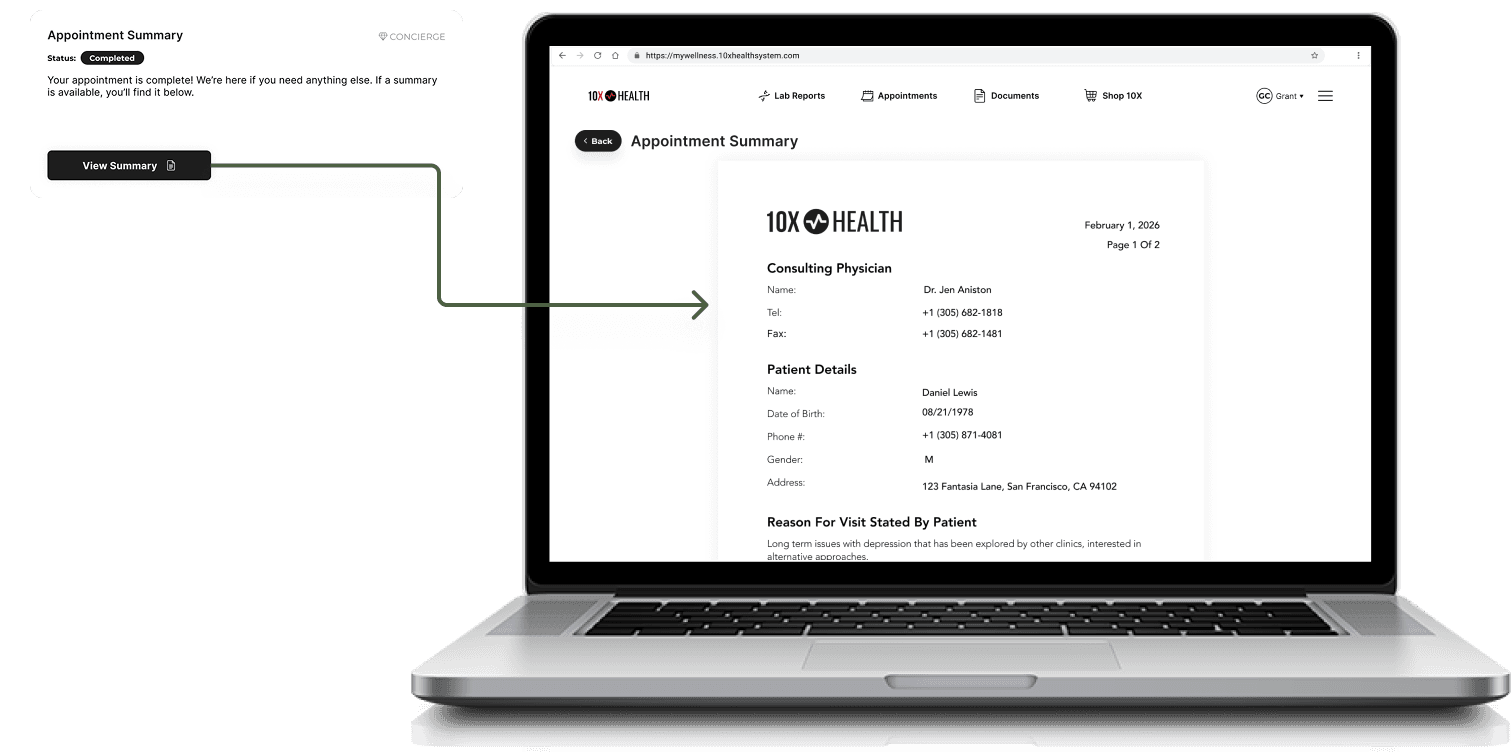
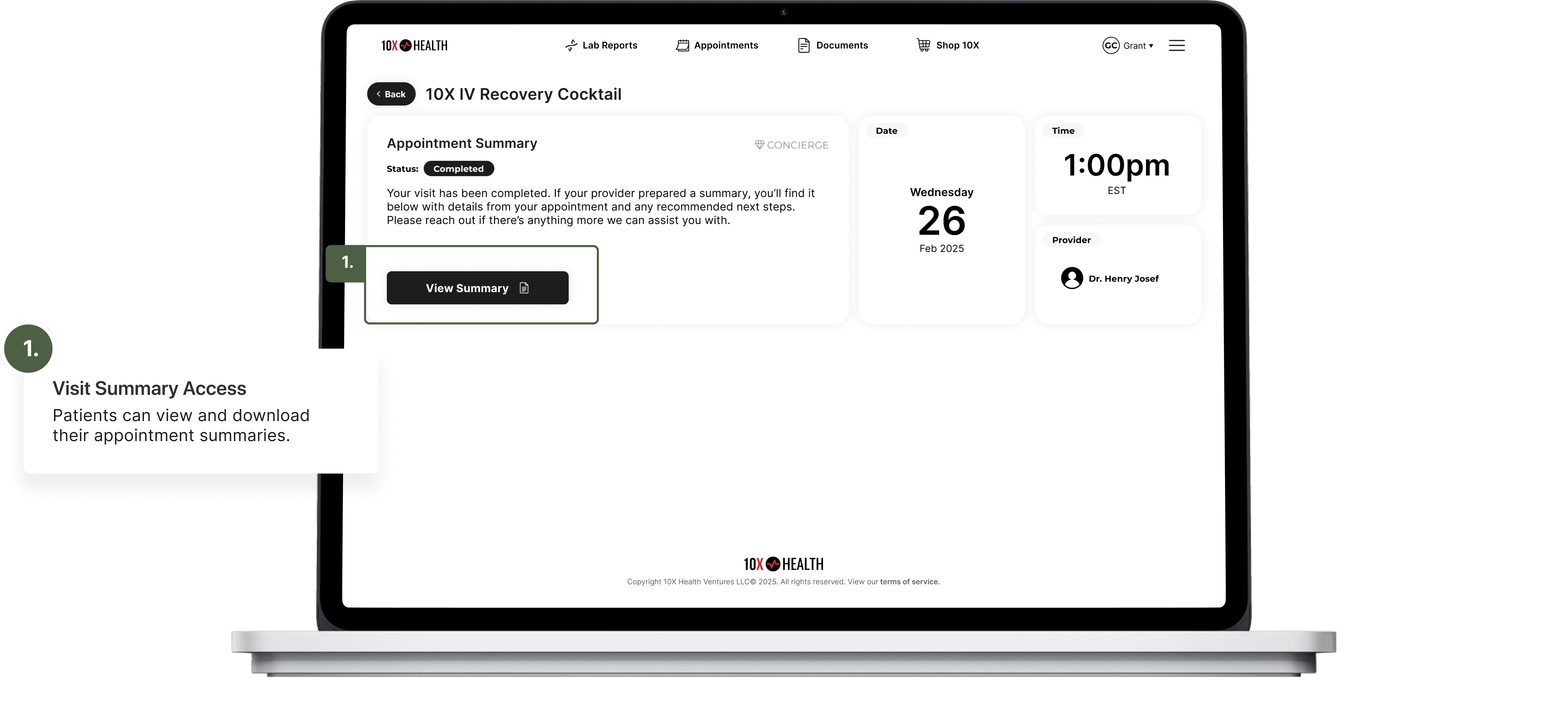
02 Appointment Summaries
Patients can view and download appointment summaries from their appointment history.
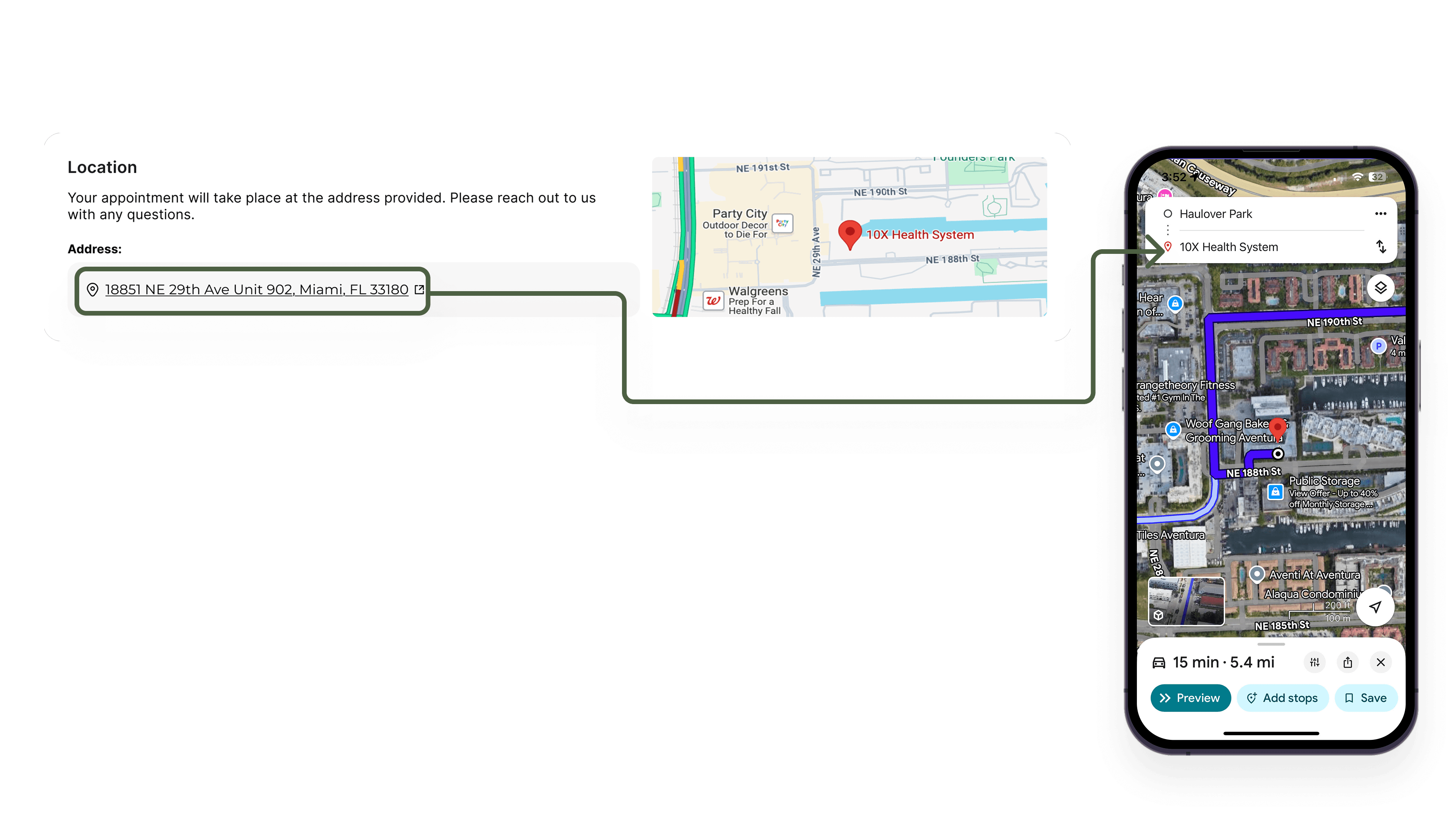
03 Maps Integration
Patients can tap the address for upcoming in-person visits to open directions in their native maps app on mobile, or in a new browser tab on desktop.
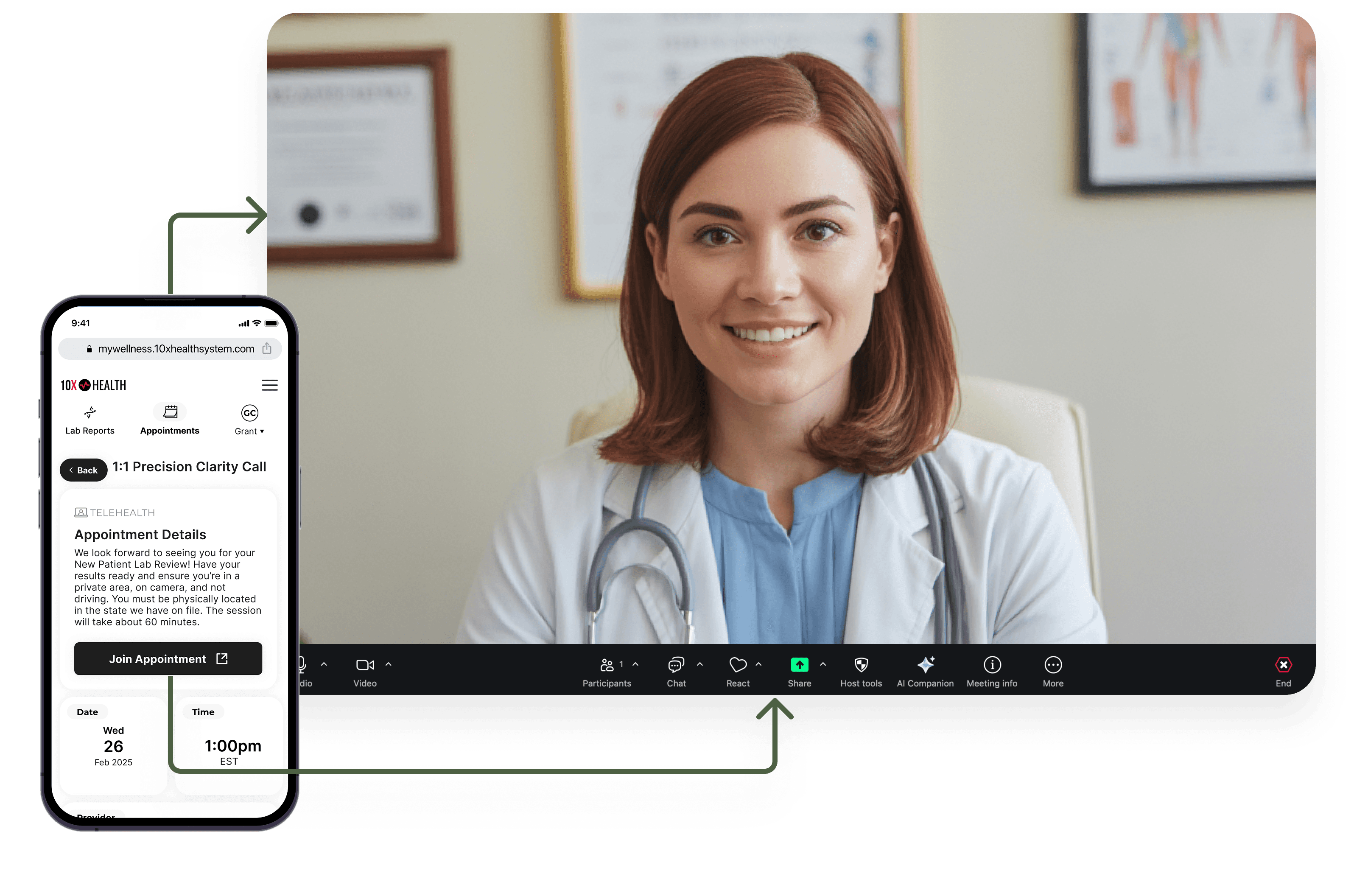
04 Telehealth Integration
With appointment links available through the API, we surfaced them directly within the portal for easy patient access.
A Modular Foundation for the Patient Portal
The UI updated the scaling design system, leveraging a "tile' layout that is fluid and responsive. This laid a groundwork for upcoming features in the new custom portal.
Upcoming & Completed Appointments List
Upcoming Appointment Details
Completed Appointment Details
Conclusion
This project became an important exercise in cross-functional alignment at 10X Health, helping teams better understand what exists within our data and how it can be used to create a stronger patient experience. The collaboration improved working conditions for the tech team within a clinically driven environment and helped bridge knowledge gaps on both sides, laying the groundwork for more effective collaboration on future initiatives.